
REST API
Call the Calleague app API with a Bearer token — start a call, look it up, read assistants, paginate lists, and handle errors and rate limits. With the real worked example from the screenshot.
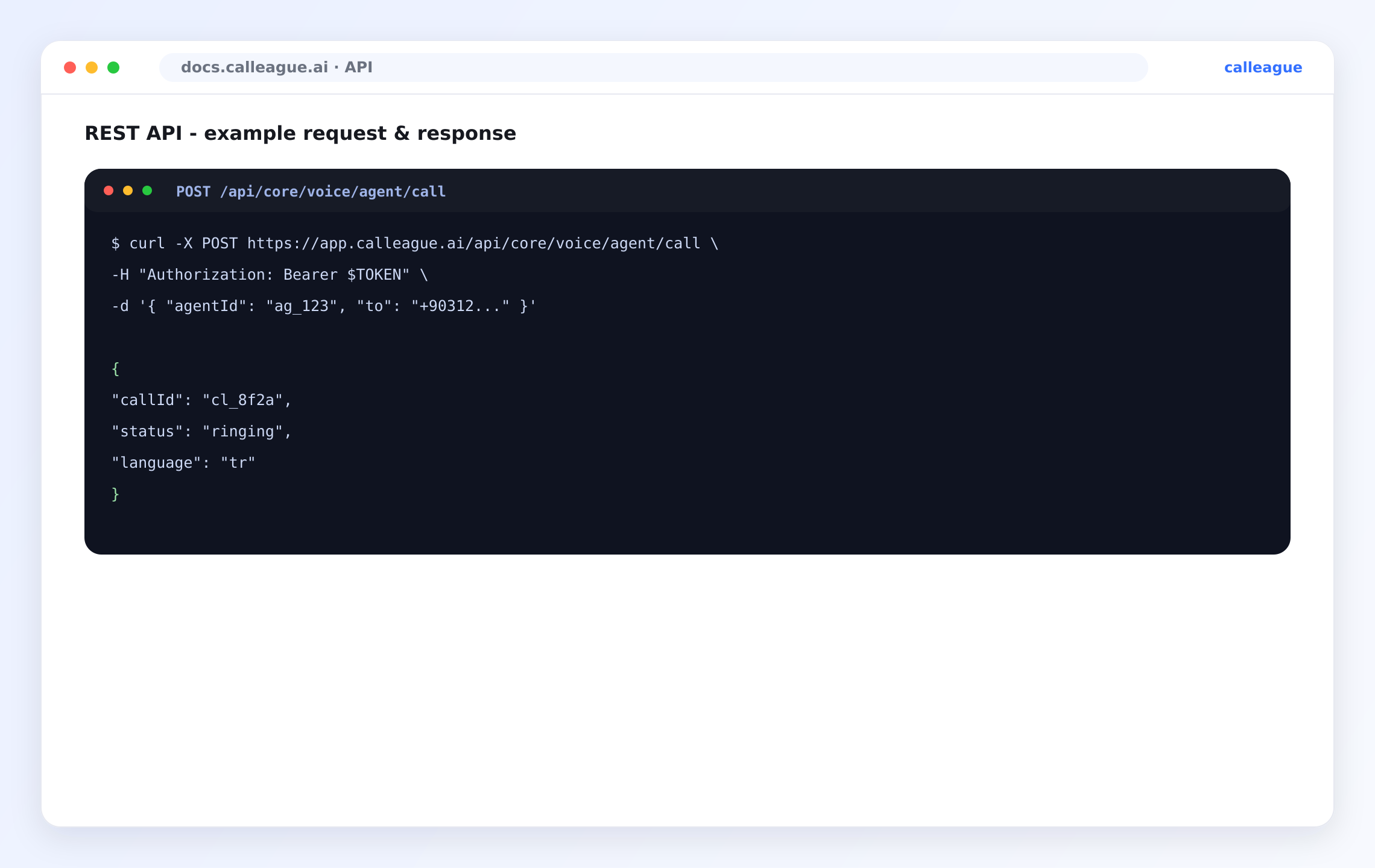
The Calleague REST API lets you do from code what you do in the dashboard: run your voice assistants, start and review calls, and read your account's data. This page covers the base address, Bearer authentication, the common operations, pagination, error codes, and rate limits — built around the real request and response shown in the screenshot.
Everything here is app-level: you sign in as your workspace and send requests over a secure connection. There is nothing to install.
At a glance
| Topic | Summary |
|---|---|
| Transport | Secure connection (HTTPS), JSON in and JSON out. |
| Auth | API key as an Authorization: Bearer header. |
| Base address | https://app.calleague.ai. |
| A single result | { "callId": "...", "status": "...", ... }. |
| A list | { "total": N, "list": [ ... ] }. |
| An error | A non-2xx reply with a code and a message. |
Base address
All requests go to your Calleague workspace, rooted at https://app.calleague.ai/api/.... Requests and responses are JSON. Set Content-Type: application/json on any request that sends a body.
Authentication
Every request carries an API key as a Bearer token in the standard Authorization header — the same Authorization: Bearer $TOKEN line you see in the screenshot:
Authorization: Bearer $TOKENYou create, name, and revoke keys from your account settings inside the app. A key inherits your permissions, so it can do exactly what you can do — no more.
Generate a key
In your account settings, open the API keys area and create one. Name it after the integration so you can audit and revoke it on its own.
You'll see the full key once, at creation time.
Authenticate a request
Send the key on every request. A quick way to confirm it works is to list your assistants:
curl -s https://app.calleague.ai/api/core/voice/agent/list \
  -H "Authorization: Bearer $TOKEN"
You'll see a JSON list of your assistants if the key is valid.
Read the response
Check the HTTP status first, then read the JSON body. Check a value exists before you use it.
You'll get a 401 instead of data if the key is missing or wrong.
Never paste a key into scripts, repositories, or documents. Keep it in your own secret store and supply it at run time. The keys shown here are placeholders, not real credentials.
Common operations
The first row is the real endpoint from the screenshot. The rest are the companion operations you'll reach for; treat their exact paths as illustrative and confirm them for your workspace.
| Method | Path | Purpose | Body |
|---|---|---|---|
POST | /api/core/voice/agent/call | Start an outbound call. | agentId, to |
GET | /api/core/voice/call/{callId} | Look up one call's detail and outcome. | — |
GET | /api/core/voice/call/list | List recent calls (paginated, filterable). | — |
GET | /api/core/voice/agent/list | List your voice assistants. | — |
GET | /api/core/voice/agent/{agentId} | Read one assistant's configuration. | — |
POST | /api/core/webhook | Register a webhook endpoint. | url, events |
Request fields — start a call
| Field | In | Type | Required | Description |
|---|---|---|---|---|
agentId | body | string | Yes | The voice assistant that will handle the call (its id, e.g. ag_123). |
to | body | string | Yes | The number to dial, in international format (e.g. +90312...). |
metadata | body | object | No | Your own key/value pairs, echoed back on the call and its events. |
Query fields — list calls
| Field | In | Type | Default | Description |
|---|---|---|---|---|
page | query | integer | 1 | Which page to read (starts at 1). |
pageSize | query | integer | 20 | Items per page. |
status | query | string | — | Filter by status, e.g. completed, failed. |
agentId | query | string | — | Restrict to one assistant. |
Start a call
This is the exact request and response from the screenshot. Add an optional metadata object to carry your own reference (such as an order id).
curl -s -X POST https://app.calleague.ai/api/core/voice/agent/call \
  -H "Authorization: Bearer $TOKEN" \
  -H "Content-Type: application/json" \
  -d '{
        "agentId": "ag_123",
        "to": "+90312...",
        "metadata": { "orderId": "A-1042" }
      }'
A successful start returns the new call:
{
  "callId": "cl_8f2a",
  "status": "ringing",
  "language": "tr"
}
Look up a call
Read a single call to see how it progressed — or rely on webhooks to be told instead.
curl -s https://app.calleague.ai/api/core/voice/call/cl_8f2a \
  -H "Authorization: Bearer $TOKEN"
{
"callId": "cl_8f2a",
"status": "completed",
"direction": "outbound",
"durationSec": 84,
"endedReason": "completed",
"language": "tr",
"recordingReady": true,
"transcriptReady": true,
"createdAt": "2026-01-01T12:00:00.000Z",
"endedAt": "2026-01-01T12:01:24.000Z"
}Call status values
| Status | Meaning |
|---|---|
ringing | Dialing the destination. |
in-progress | Connected; the conversation is underway. |
completed | Finished normally. |
failed | Could not connect or errored. |
no-answer | The destination did not pick up. |
Pagination
Listing calls returns a paginated shape — always handle an empty list gracefully:
curl -s "https://app.calleague.ai/api/core/voice/call/list?page=1&pageSize=20" \
  -H "Authorization: Bearer $TOKEN"
{
"total": 0,
"list": []
}To page through results, increase page until the number of items you've collected reaches total.
A list endpoint can legitimately return an empty list. In your own code, default to an empty array before you loop, and check a value exists before reading it — assuming a populated shape is the most common integration bug.
Error codes
A failed request comes back with a non-2xx status, a code, and a human-readable message. Branch on the HTTP status first.
{
  "code": 401,
  "message": "Invalid or missing API key"
}| HTTP | Meaning | What to do |
|---|---|---|
400 | Bad request — malformed JSON or a missing field. | Validate the body; set Content-Type: application/json. |
401 | Not signed in — key missing, wrong, or revoked. | Re-check the Authorization: Bearer header and the key. |
403 | Not allowed — the key's account lacks permission. | Use a key whose account can do the action. |
404 | Not found — unknown id or path. | Verify the callId / agentId and the path. |
409 | Conflict — the resource's state blocks the action. | Re-read the resource and retry once resolved. |
422 | Valid JSON but invalid values. | Fix the field values (e.g. to must be a valid number). |
429 | Too many requests. | Slow down and retry after a short wait. |
5xx | Temporary problem on our side. | Retry after a growing delay. |
Rate limits
The API applies fair-use limits per workspace. Build your client to cope:
| Practice | Why |
|---|---|
Respect a 429 | Stop sending until your wait window passes. |
| Back off, and add a little randomness | Avoids everyone retrying at the same instant. |
| Prefer webhooks over constant checking | Removes most repeated reads. |
| Group work where you can | Fewer requests for the same result. |
A burst of fast retries after a 429 makes throttling worse, not better. Wait, add a little randomness, then retry — do not loop immediately.
If something looks different
| Symptom | Likely cause | Fix |
|---|---|---|
401 on every request | Missing/expired key or wrong header | Confirm Authorization: Bearer $TOKEN and that the key is active |
400 on a POST | Body isn't JSON, or header missing | Send valid JSON and set Content-Type: application/json |
| Your code crashes on a list | The list came back empty | Default to an empty array before looping |
404 on a call you know exists | Wrong id or stale path | Re-list to confirm the callId; check the path |
Frequent 429 | Checking too aggressively | Switch to webhooks or add a wait between requests |
| A field you read is missing | A new/optional field is absent | Check it exists first; ignore fields you don't recognise |
FAQ
Next steps
Last Updated
Developers
Build on top of Calleague with the hosted app API — start and review calls, read your assistants, react to call events, and connect MCP clients. API key, Bearer auth, and a real worked example.
Webhooks & events
Subscribe to Calleague call-lifecycle events and react in real time — register a webhook, read the events table, handle the payload, and cope with retries and verification.